Tracks & Instruments
The Rack is the vertical panel on the left edge of the screen that manages all instruments in your score.
Track Types
Reflow has three track types:
- Tablature — for guitar, bass, banjo, ukulele, and other fretted instruments. Shows fret numbers on string lines.
- Drums — percussion staff with drum kit mapping. Uses specialized noteheads for different drums and cymbals.
- Standard — traditional staff notation for piano, violin, flute, vocals, and other instruments. Supports one or two staves (e.g., grand staff for piano).
The Rack
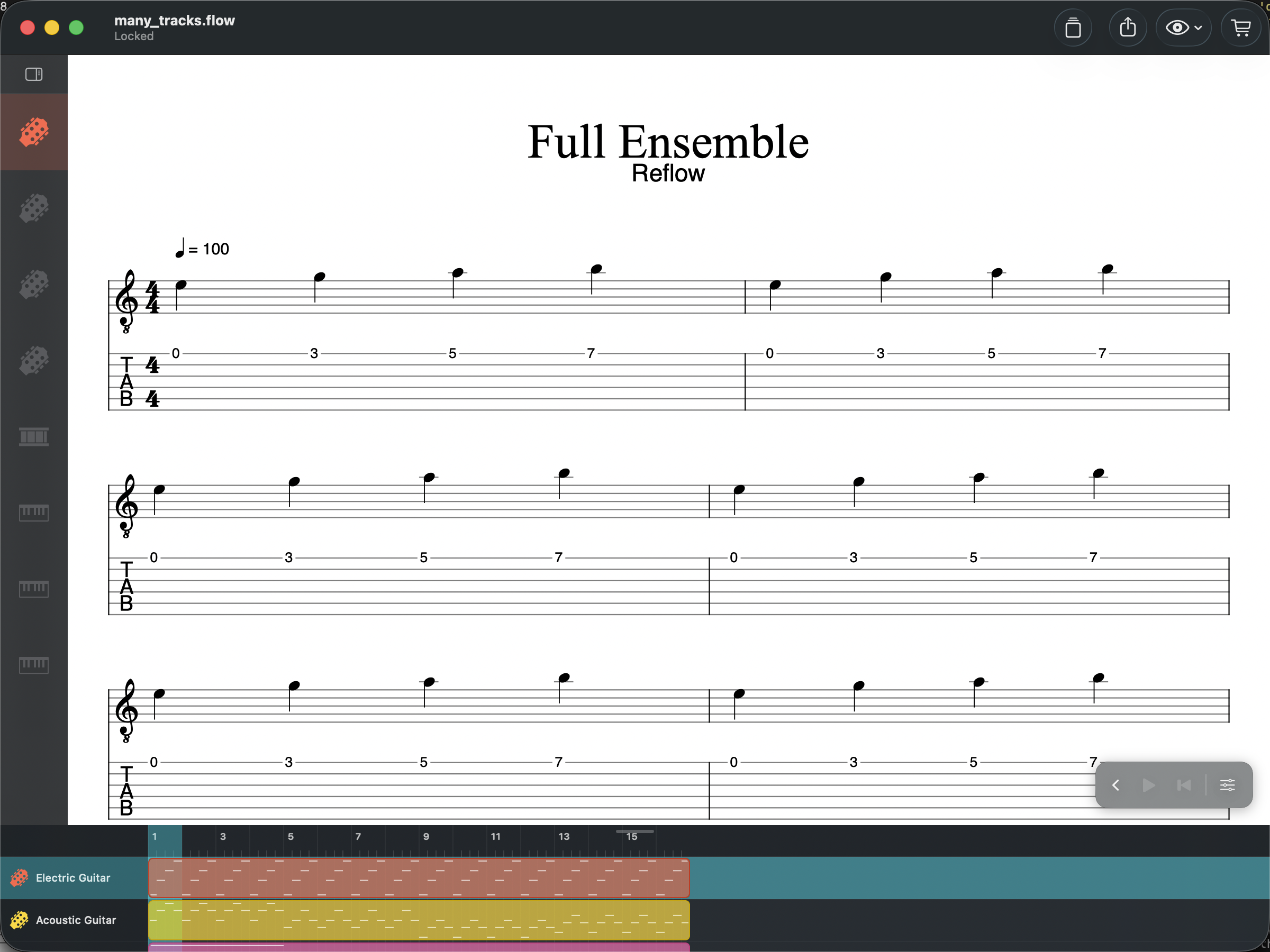
The rack has two display modes:
- Compact — track icons with solo/mute buttons. Click a track to select it.
- Expanded — full track names, volume/pan sliders, instrument selector, and tuning button. Click the rack header to toggle.
Adding Tracks
Click the + button in the rack header to add a new track. Choose the track type (tablature, drums, or standard) and instrument from the menu.
Reordering and Deleting
In expanded mode, click Edit in the rack header to reorder or delete tracks.
Multi-Track View
All tracks are always visible in the score. Click on any staff to make that track active for editing. Use the rack or arranger to solo or mute individual tracks during playback.
MIDI Instruments
Each track can be assigned a different MIDI instrument for playback, giving you access to the full General MIDI set — 128 instruments from acoustic piano to synth pads. Change the instrument in expanded rack mode.
Reflow Library (Presets)
Save and reuse your own settings across documents via the Reflow Library. A library button appears in the title bar of the Tuning, Drum Mapping, Score Style, and Track Settings dialogs — tap it to save the current settings as a named preset, or to load one back.
When you create a new score, the Templates picker includes a My Library section with your saved track presets — useful if you always start with the same tuning, mapping, or per-track volume/pan balance.
Audio Units & Studio Rack
On Mac, enable the Studio Rack from the rack header to load your own Audio Unit plugins. The Studio Rack replaces the built-in SoundFont engine with a full AU hosting environment.
Per-Track Instruments
Each track can load one AUv3 instrument — amp simulators, synth plugins, or sampled instruments. Compatible with Neural DSP, TONEX, Kontakt, Superior Drummer, Surge XT, and any AU-compatible plugin on your Mac.
Per-Track Effects
Each track has its own effect chain. Add as many AU effects as you need — EQ, compression, reverb, delay, distortion. Each effect can be bypassed individually. Parameters update in real time during playback.
Send Buses
4 auxiliary send buses are available for shared effects like reverb and delay. Each track has per-bus send levels. Each bus has its own gain, mute, and effect chain.
Master Chain
The master section has its own gain control and effect chain for final processing — master EQ, limiting, or any AU effect.
Metering
Real-time stereo peak meters on every track, every send bus, and the master output during playback.
Fallback
When the Studio Rack is disabled, playback falls back to the built-in TinySoundFont engine with General MIDI sounds. Your AU settings are preserved and restored when you re-enable the Studio Rack.