Chord Diagrams
The chord system in Reflow lets you display chord names above the staves and attach guitar chord diagrams showing finger positions.
Chord Names
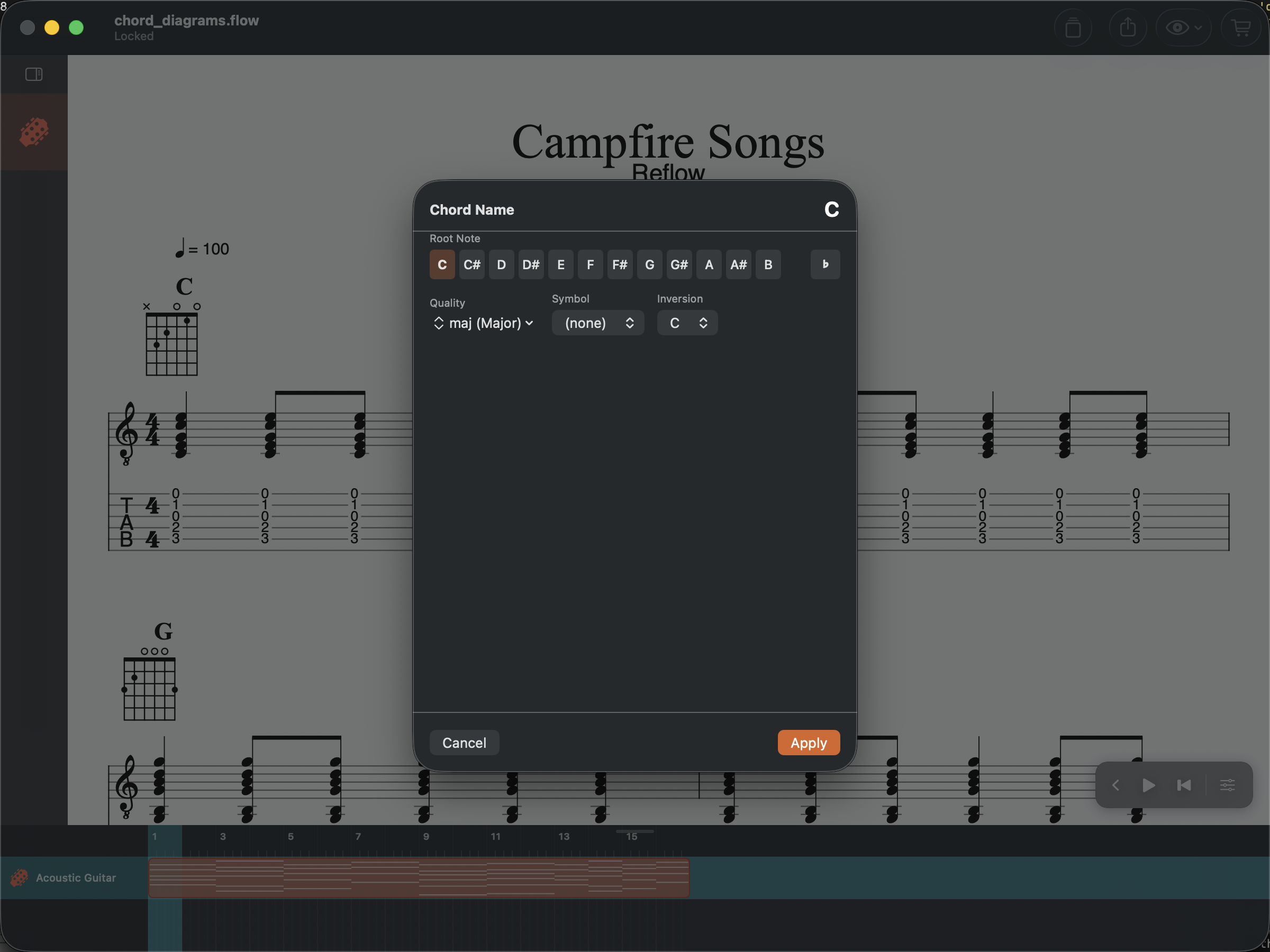
Place your cursor on a beat and open the Chord Name dialog (Cmd+K on Mac, or Score menu). A chord name is built from:
- Root note — the fundamental (C, D, E, etc.)
- Formula — major, minor, diminished, augmented, 7th, etc.
- Inversion — root position, 1st inversion, 2nd inversion
Chord names appear above all staves and are visible in every view mode.
Guitar Chord Diagrams
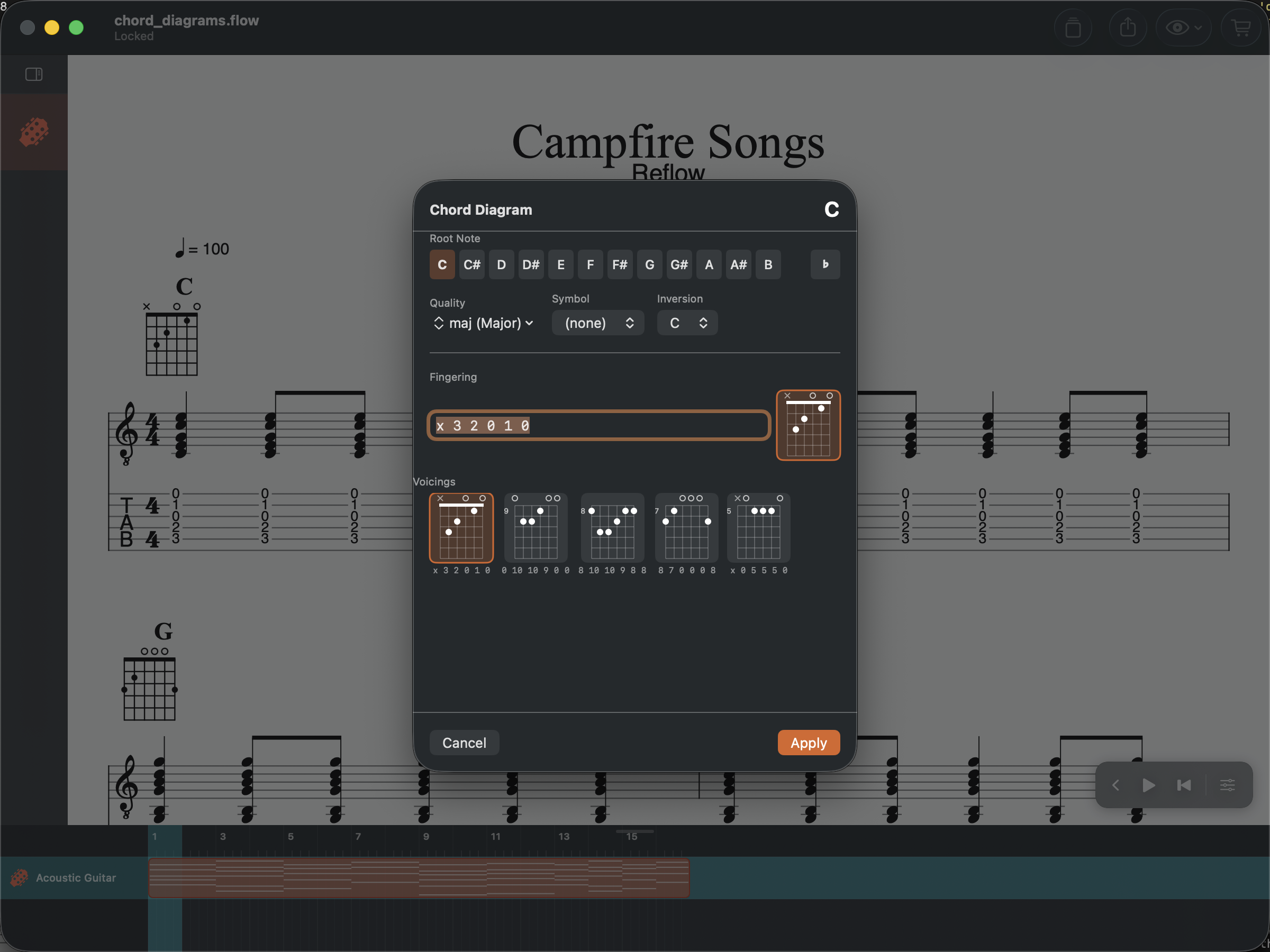
Open the Chord Diagram dialog (Cmd+Shift+K on Mac, or Score menu) to create a diagram by entering fret positions as a space-separated string. For example:
x 1 3 3 2 1— Bb minor (x = don’t play that string)0 0 2 2 2 0— A majorx 3 2 0 1 0— C major
The diagram shows a fretboard grid with dots marking finger positions. Muted strings are marked with x and open strings with o.
Chord Names Without Diagrams
You can add a chord name without a diagram — useful for lead sheets or when the voicing doesn’t matter. Just fill in the root and formula and leave the diagram empty.